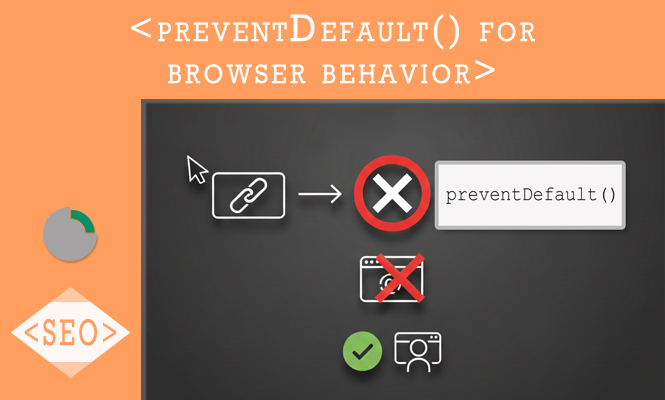
This article is about preventDefault(). The modern web experience relies heavily on custom interactions that often conflict with a browser’s built-in behaviors. Every time a user clicks a link, submits a form, or right-clicks a page, the browser has a “default action” ready to execute. In a standard HTML environment, a form submission refreshes the page, and a link click navigates to a new URL. However, in the context of Single Page Applications (SPAs) or dynamic interfaces, these default actions can break the user flow. The event.preventDefault() method is the primary tool for intercepting these native behaviors, allowing developers to substitute them with custom JavaScript logic.
Intercepting Form Submissions
The most frequent application of event.preventDefault() occurs within form handling. By default, an HTML form attempts to send data to a server and refresh the page. In a modern “headless” or AJAX-driven setup, you want to capture the data, validate it, and send it via a fetch or axios call without losing the current application state. Failing to call preventDefault() on the submit event will result in the page reloading before your asynchronous code can even finish executing.
Form example of preventDefault
const loginForm = document.querySelector('#login-form');

loginForm.addEventListener('submit', (event) => {
    // Stop the browser from reloading the page
    event.preventDefault();

    const formData = new FormData(loginForm);
    console.log('Form data captured without reload:', Object.fromEntries(formData));

    // Proceed with custom API call logic
});
Managing Navigation and Single Page Routing
Links are designed to navigate the browser to a different resource. When building a router for an application, you often want to update the URL in the address bar using the History API without actually triggering a full page request to the server. By calling preventDefault() on an anchor tag’s click event, you kill the native navigation and can instead trigger a component swap or a smooth transition.
An example:
document.querySelector('.spa-link').addEventListener('click', (event) => {
    event.preventDefault();
    const targetUrl = event.target.getAttribute('href');

    // Update URL manually and load content via JS
    window.history.pushState({}, '', targetUrl);
    loadComponent(targetUrl);
});
Customizing Context Menus and Drag Interactions
Beyond forms and links, preventDefault() is essential for advanced UI components like custom right-click menus or drag-and-drop zones. If you wish to implement a custom context menu, you must prevent the default browser menu from appearing. Similarly, during drag-and-drop operations, browsers often try to open a dropped file as a new tab. Preventing this default behavior is mandatory to allow your application to process the dropped data internally.
Context menu example
window.addEventListener('contextmenu', (event) => {
    // Stop the standard right-click menu
    event.preventDefault();

    // Display custom UI at event.pageX and event.pageY
    showCustomMenu(event.pageX, event.pageY);
});
Problem Solving and Common Pitfalls for preventDefault
A common point of confusion is the difference between event.preventDefault() and event.stopPropagation(). While preventDefault() stops the browser’s native reaction to the event, stopPropagation() prevents the event from “bubbling” up to parent elements. Using the wrong one is a frequent source of bugs in nested UI components. If your link still navigates despite calling a function on a parent element, it is likely because the native action is tied to the specific element that received the click, not the bubbling process.
Another common issue arises with “Passive Event Listeners.” Modern browsers, particularly for touch and wheel events, default to passive listeners to improve scrolling performance. In these cases, calling preventDefault() will throw a console warning and have no effect. To fix this, you must explicitly set passive: false in your event listener options if you intend to block scrolling behavior.
Lastly, always ensure the event object is correctly passed into your handler function. In many framework-specific implementations or inline handlers, forgetting the event argument will lead to an “undefined” error when you try to call the method, causing the default action to execute anyway and often leading to hard-to-trace page refreshes.
Summary of event.preventDefault() usage
Mastering the control of default actions is a fundamental requirement for creating interactive and professional web applications.
- The primary purpose is to halt the native browser response to specific user interactions like submitting or clicking.
- It is vital for AJAX form handling to prevent the destructive page reloads that clear application state.
- It enables modern routing by stopping anchor tags from triggering standard GET requests to the server.
- It is a prerequisite for custom UI elements like drag-and-drop zones and alternative context menus.
- Successful implementation requires understanding the distinction from stopPropagation and managing passive listener settings in modern browsers.
Try it at home!