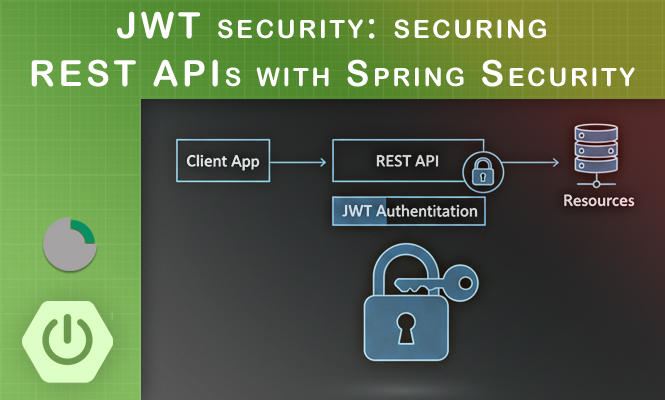
The move toward microservices and distributed architectures has made stateful session management increasingly difficult to scale. In a standard REST environment, the server should not be required to store session information about the client. JSON Web Tokens (JWT) have emerged as the industry standard for handling authentication in a stateless manner. By using JWT within the Spring Boot ecosystem, developers can ensure that each request carries its own authentication context, allowing the backend to remain stateless and highly scalable. This approach relies on a signed token that the client includes in the Authorization header of every protected request.
Understanding the Stateless Security Model
In a traditional web application, the server creates a session and stores it in memory or a database, providing the client with a session ID. In a JWT-based Spring Security setup, this mechanism is disabled. Upon a successful login, the server generates a cryptographically signed token containing user claims (such as username and roles). The server does not store this token; instead, it validates the token’s signature on every subsequent request.
To implement this, we must explicitly set the Spring Security configuration to stateless. This is achieved by configuring the SecurityFilterChain to ignore sessions and disabling CSRF protection, which is generally not required for stateless APIs using tokens.
Defining the JWT Structure and Utility Service
A JWT is composed of three parts: a Header, a Payload, and a Signature. The payload contains the “claims,” which are pieces of information about the user. In Java, libraries like jjwt are typically used to handle the creation and parsing of these tokens.
A dedicated JwtUtils or JwtService class should be created to encapsulate the logic for generating tokens, extracting the username from a token, and validating the signature against a secret key.
Utility Snippet
@Component
public class JwtUtils {
    private String jwtSecret = "yourSecureSecretKey";
    private int jwtExpirationMs = 86400000;

    public String generateToken(Authentication authentication) {
        UserDetails userPrincipal = (UserDetails) authentication.getPrincipal();
        return Jwts.builder()
                .setSubject(userPrincipal.getUsername())
                .setIssuedAt(new Date())
                .setExpiration(new Date((new Date()).getTime() + jwtExpirationMs))
                .signWith(SignatureAlgorithm.HS512, jwtSecret)
                .compact();
    }

    public boolean validateJwtToken(String authToken) {
        try {
            Jwts.parser().setSigningKey(jwtSecret).parseClaimsJws(authToken);
            return true;
        } catch (SignatureException | MalformedJwtException | ExpiredJwtException e) {
            // Log specific errors here
        }
        return false;
    }
}
The Authentication Filter Implementation
The core of the integration is a custom filter that intercepts every incoming request. This filter, typically extending OncePerRequestFilter, checks for the presence of a “Bearer” token in the Authorization header. If we find a valid token, the filter extracts the user details and populates the SecurityContextHolder. This informs Spring Security that the user is authenticated for the duration of that specific request.
JWT Filter Configuration Example
public class AuthTokenFilter extends OncePerRequestFilter {
    @Autowired private JwtUtils jwtUtils;
    @Autowired private UserDetailsServiceImpl userDetailsService;

    @Override
    protected void doFilterInternal(HttpServletRequest request, HttpServletResponse response, FilterChain filterChain)
            throws ServletException, IOException {
        String jwt = parseJwt(request);
        if (jwt != null && jwtUtils.validateJwtToken(jwt)) {
            String username = jwtUtils.getUserNameFromJwtToken(jwt);
            UserDetails userDetails = userDetailsService.loadUserByUsername(username);
            UsernamePasswordAuthenticationToken authentication =
                new UsernamePasswordAuthenticationToken(userDetails, null, userDetails.getAuthorities());
            SecurityContextHolder.getContext().setAuthentication(authentication);
        }
        filterChain.doFilter(request, response);
    }
}
Configuring the Spring Security Filter Chain
With the filter and utility service ready, the final step is to integrate them into the Spring Security configuration. You must tell Spring which endpoints are public (like /api/auth/**) and which require authentication. Crucially, the custom AuthTokenFilter must be added before the standard UsernamePasswordAuthenticationFilter.
Security Config Configuration
@Configuration
@EnableWebSecurity
public class WebSecurityConfig {
    @Bean
    public SecurityFilterChain filterChain(HttpSecurity http) throws Exception {
        http.csrf(csrf -> csrf.disable())
            .sessionManagement(session -> session.sessionCreationPolicy(SessionCreationPolicy.STATELESS))
            .authorizeHttpRequests(auth ->
                auth.requestMatchers("/api/auth/**").permitAll()
                    .anyRequest().authenticated()
            );

        http.addFilterBefore(authenticationJwtTokenFilter(), UsernamePasswordAuthenticationFilter.class);
        return http.build();
    }
}
Error Handling and Problem Solving for JWT
Security implementations are prone to specific failures that can be difficult to debug without proper handling.
Authentication Entry Point Failures
When an unauthenticated user tries to access a protected resource, Spring Security throws an exception. By default, it might return a 403 or a redirect to a login page. For a REST API, you should implement AuthenticationEntryPoint to return a clean 401 Unauthorized JSON response. This ensures the client receives a consistent error format.
Token Expiration and Clock Skew
A common issue is the ExpiredJwtException. When a token expires, the filter fails, and we block the user. In production, you should handle this by either implementing a Refresh Token logic or ensuring the client can catch the 401 error to prompt a re-login. Also, be aware of “clock skew” between the server that issues the token and the server that validates it; adding a small leeway (1-2 minutes) during validation can prevent rejection due to minor time differences.
Secret Key Management
A “MalformedJwtException” often points to a mismatch in the secret key or the algorithm used. Never hardcode the secret key in the source code. Use environment variables or a secure vault. If you change the secret key on a running system, all existing tokens will immediately become invalid, forcing all users to re-authenticate.
401 vs 403 Errors
Distinguishing between “Unauthorized” (user not logged in) and “Forbidden” (user logged in but lacks the necessary role) is vital. If your JWT is valid but the user lacks the ROLE_ADMIN required for an endpoint, Spring will return a 403. If the token is invalid or missing, it should be a 401. Check your AccessDeniedHandler if you are seeing the wrong status code.
Summary of Spring JWT Integration
Successfully implementing JWT in a Spring Boot environment provides a secure, scalable foundation for RESTful services.
- Statelessness: Disabling sessions and CSRF allows the API to scale across multiple server instances without session replication.
- Component Roles: The utility class handles token logic, while the custom filter manages the security context for each request.
- Filter Ordering: The JWT filter must execute before the default authentication filters to properly intercept the Bearer token.
- Security Context: Populating the SecurityContextHolder allows the use of standard annotations like
@PreAuthorizethroughout the application. - Error Management: Custom entry points and exception handling ensure the API provides clear, actionable feedback to client applications.
Try it at home!