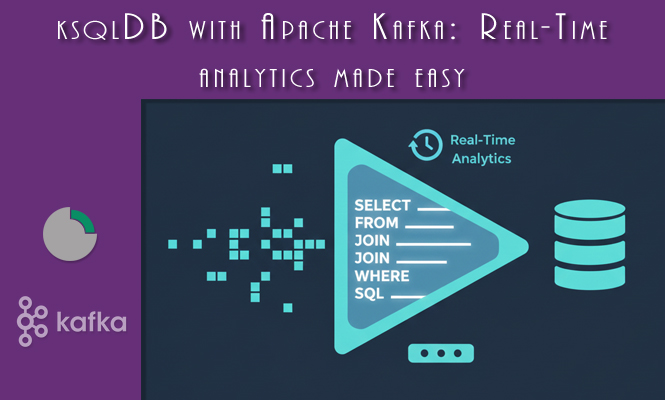
For developers and analysts accustomed to the relational world, processing real-time data streams often presents a steep learning curve. ksqlDB (formerly KSQL) bridges this gap, acting as a streaming database built on top of Apache Kafka. It allows you to query, analyze, and transform data streams using a simple, SQL-like language, eliminating the need to write complex Java or Scala stream processing code. ksqlDB is distributed, scalable, and inherently fault-tolerant, leveraging Kafka’s capabilities for storage and resilience.
ksqlDB Fundamentals: Streams and Tables
Just like in standard Kafka Streams, ksqlDB utilizes two core data primitives: STREAMS and TABLES.
A STREAM represents a sequence of immutable events, similar to a Kafka topic. When you query a STREAM, the results are continuous, reflecting new data as it arrives. A STREAM is best used for raw, event-based data where the order of arrival matters, such as logging, clicks, or financial transactions.
A TABLE represents a materialized view of a STREAM, where a new record with the same key updates the existing value, similar to a database table. A TABLE is ideal for stateful data, such as tracking the latest status of a user, product inventory levels, or aggregated metrics.
To begin any operation, you must first define your source data using CREATE STREAM or CREATE TABLE.
Practical Example: Defining a Stream and a Table
Suppose you have raw click data in a topic named raw_clicks with JSON data.
-- 1. Create a STREAM mapped to the raw_clicks topic
-- We use VALUE_FORMAT=JSON for the raw data
CREATE STREAM clicks_raw (
    user_id VARCHAR,
    url VARCHAR,
    timestamp BIGINT
) WITH (
    KAFKA_TOPIC='raw_clicks',
    VALUE_FORMAT='JSON'
);
To create a TABLE that tracks the latest URL visited by each user (a materialized view):
-- 2. Create a TABLE from the existing STREAM, grouping by user_id as the key
CREATE TABLE latest_visits AS
    SELECT
        user_id,
        LATEST_BY_OFFSET(url) AS last_url
    FROM
        clicks_raw
    GROUP BY user_id
    EMIT CHANGES;
The EMIT CHANGES clause is crucial as it tells ksqlDB that the output is a continuous stream of updates, which is the nature of a KTable.
Continuous Queries: Processing Data in Motion
The primary function of ksqlDB is running Continuous Queries, which are long-running queries that perpetually process the incoming data and write the results to a new Kafka topic. Unlike traditional SQL queries that return a result set and terminate, these queries run forever until manually stopped.
Filtering and Projection:
The simplest continuous query filters data and projects a subset of columns into a new derived stream.
-- Create a new stream containing only clicks on the 'checkout' URL
CREATE STREAM checkout_events AS
    SELECT
        user_id,
        timestamp
    FROM
        clicks_raw
    WHERE
        url = '/checkout/payment'
    EMIT CHANGES;
This query creates a new, separate Kafka topic named CHECKOUT_EVENTS (by default, uppercase) containing only the filtered records.
Time-Based Windowing and Aggregation:
Aggregations (like COUNT, SUM, AVG) on streams must be performed within a defined time window, as the stream is infinite. Windowing provides a boundary for these calculations.
Tumbling Windows are fixed, non-overlapping, gaps in time.
-- Count the number of unique users per 5-minute interval
CREATE TABLE user_count_5m AS
    SELECT
        COUNT(DISTINCT user_id) AS distinct_users,
        WINDOWSTART AS window_start
    FROM
        clicks_raw
    WINDOW TUMBLING (SIZE 5 MINUTES)
    GROUP BY 1
    EMIT CHANGES;
This query produces a new result every five minutes, summarizing the activity during that period.
Stream-Table Joins:
Joining a STREAM (event data) with a TABLE (state data) is fundamental for data enrichment. For instance, joining a stream of transaction events with a table of customer profile information.
-- Assume 'customer_profiles' is a TABLE tracking the latest profile data
-- Join the raw click stream with the customer profile table on user_id
CREATE STREAM clicks_enriched AS
    SELECT
        c.user_id,
        c.url,
        p.region, -- Data from the profile table
        p.account_status
    FROM
        clicks_raw c
    INNER JOIN
        customer_profiles p
    ON c.user_id = p.user_id;
This query continuously produces an enriched stream, adding the latest region and account_status to every raw click event.
ksqlDB – Managing queries and debugging
Unlike traditional SQL, ksqlDB queries are persistent jobs. You manage them via the command line or the REST API.
- Listing Queries: To see all running persistent queries:SQL
SHOW QUERIES; - Terminating a Query: To stop a continuous query (using the ID from
SHOW QUERIES):SQLTERMINATE <Query_ID>;Terminating a query stops the data processing but does not delete the output Kafka topic or the internal change log topics.
Common ksqlDB Errors and Troubleshooting
1. Deserialization Errors (e.g., Failed to deserialize data):
- Problem: The data in the source Kafka topic does not match the schema defined in your
CREATE STREAMstatement. This is often due to mixed formats (e.g., trying to read JSON when the data is Avro) or a mismatch in column types. - Solution: Verify the
VALUE_FORMATproperty (e.g.,JSON,AVRO,DELIMITED). Use thePRINT <topic> FROM BEGINNINGcommand in the ksqlDB CLI to inspect the raw data and ensure it aligns with your defined columns and types. If using Avro, ensure the Schema Registry is accessible.
2. Query Lag:
- Problem: A continuous query is falling behind the input topic. This means ksqlDB is consuming slower than the producer is writing.
- Solution: Check the resources allocated to the ksqlDB server. If using the distributed mode, scale out by increasing the number of ksqlDB server instances (workers). ksqlDB utilizes Kafka’s partitioning model, so increasing worker instances provides horizontal scaling up to the number of input topic partitions.
3. Topic <topic_name> already exists:
- Problem: When executing a
CREATE STREAM AS SELECT...statement, the output topic already exists but was not created by ksqlDB. - Solution: You must explicitly tell ksqlDB to use the existing topic. Use the
WITH (PARTITIONS=X, REPLICAS=Y)clause and ensure the partition count matches the existing topic. If the existing topic schema conflicts, you might need to drop the output topic manually or change the query name.
4. State Store Errors:
- Problem: ksqlDB uses local RocksDB instances for stateful operations (like aggregations and joins). Running out of disk space or disk I/O bottlenecks can cause the query to fail.
- Solution: Monitor the disk I/O and space on the ksqlDB server nodes. If a query is particularly stateful, consider increasing the topic partition count and scaling the ksqlDB workers to distribute the state store load across more nodes.
By leveraging the power of continuous SQL, ksqlDB democratizes stream processing, making real-time analysis accessible without the need for deep knowledge of complex stream processing APIs, allowing you to quickly build real-time data products.
That’s all.
Try it at home!