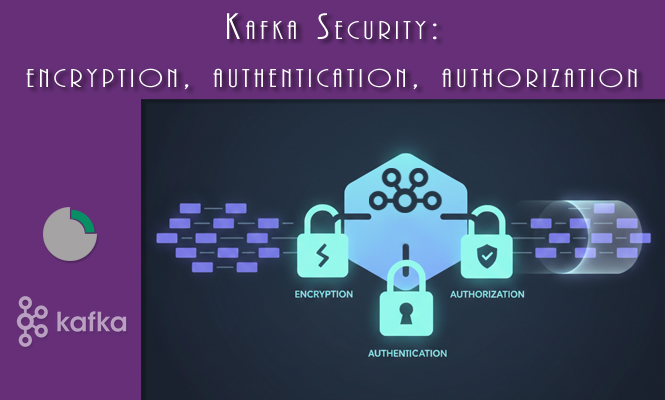
Running Apache Kafka in production requires more than just high throughput and availability; it demands robust security. Securing Kafka is a multi-layered process that addresses three core pillars: Encryption (protecting data in transit), Authentication (verifying identity), and Authorization (controlling access permissions). Neglecting any of these layers leaves critical business data exposed. This guide details the practical steps and configurations necessary to implement a secure, enterprise-grade Kafka cluster.
Kafka Security – TLS/SSL encryption – Protecting data in transit
Encryption ensures that data exchanged between Kafka brokers and clients (producers, consumers, and other brokers) cannot be intercepted or read by unauthorized parties. Kafka uses TLS/SSL (Transport Layer Security/Secure Sockets Layer) for this purpose.
The most common approach involves securing the Client-to-Broker communication (the data plane) and optionally securing the Broker-to-Broker communication (the internal data replication plane).
Practical TLS Configuration
To enable TLS, you must first generate and configure KeyStores (containing the private key and certificate) and TrustStores (containing the certificates of trusted parties).
Broker Configuration (server.properties):
To enforce TLS, you must modify the broker’s listeners. Port 9093 is typically used for secure communication.
# 1. Define the secure listener
listeners=PLAINTEXT://:9092,SSL://:9093
# 2. Map the security protocol to the listeners
listener.security.protocol.map=PLAINTEXT:PLAINTEXT,SSL:SSL

# 3. KeyStore and TrustStore locations
ssl.keystore.location=/etc/kafka/secrets/kafka.server.keystore.jks
ssl.keystore.password=your_keystore_password
ssl.key.password=your_key_password
ssl.truststore.location=/etc/kafka/secrets/kafka.server.truststore.jks
ssl.truststore.password=your_truststore_password

# 4. Require client certificates for two-way authentication (optional, but highly recommended)
ssl.client.auth=required
Client Configuration (producer.properties / consumer.properties):
Clients need to know which protocol to use and must trust the broker’s certificate.
security.protocol=SSL
ssl.truststore.location=/path/to/client/truststore.jks
ssl.truststore.password=client_truststore_password
# If broker requires client authentication (ssl.client.auth=required)
ssl.keystore.location=/path/to/client/keystore.jks
ssl.keystore.password=client_keystore_password
ssl.key.password=client_key_password
Kafka Security – SASL authentication – Verifying identity
Encryption proves the connection is private, but Authentication proves the user or service connecting is who they claim to be. Kafka supports the SASL (Simple Authentication and Security Layer) framework, with several mechanisms.
SASL/SCRAM: Password-Based Authentication
SCRAM (Salted Challenge Response Authentication Mechanism) is the modern, password-based approach, offering a much better security profile than older methods. It requires the configuration of a user repository on the broker side, typically defined in a JAAS (Java Authentication and Authorization Service) file.
Broker Configuration (server.properties):
# Enable SASL_SSL listener (TLS is mandatory with SASL)
listeners=SASL_SSL://:9094
listener.security.protocol.map=SASL_SSL:SASL_SSL

# Define the SASL mechanism
sasl.enabled.mechanisms=SCRAM-SHA-512
sasl.mechanism.inter.broker.protocol=SCRAM-SHA-512

# Point to the JAAS configuration file
java.security.auth.login.config=/etc/kafka/config/kafka_server_jaas.conf
Broker JAAS File (kafka_server_jaas.conf snippet):
This file defines the broker’s identity and the user database (stored internally in Kafka itself or externally).
KafkaServer {
    org.apache.kafka.common.security.scram.ScramLoginModule required
    storeKey=true
    credentialCacheRefreshTimeSeconds=300;
};

// Defines the users and passwords for authentication
KafkaServer {
    org.apache.kafka.common.security.scram.ScramLoginModule required
    username="admin_user"
    password="admin_password"
    user_producer="p_password"
    user_consumer="c_password";
};
Client Configuration (Producer/Consumer):
The client needs a JAAS file defining its user credentials.
security.protocol=SASL_SSL
sasl.mechanism=SCRAM-SHA-512
ssl.truststore.location=/path/to/client/truststore.jks

# Point to the client JAAS configuration file
java.security.auth.login.config=/path/to/client/client_jaas.conf
Client JAAS File (client_jaas.conf snippet):
KafkaClient {
    org.apache.kafka.common.security.scram.ScramLoginModule required
    username="user_producer"
    password="p_password";
};
SASL/Kerberos (GSSAPI): Enterprise Authentication
For environments already using Active Directory or MIT Kerberos, the GSSAPI mechanism (Kerberos) is often preferred. This requires significantly more external setup (Key Distribution Center, keytabs, etc.) but integrates Kafka seamlessly into the existing enterprise security domain.
Kafka Security – ACL authorization – Controlling access
Authentication proves who you are, but Authorization (implemented via ACLs – Access Control Lists) determines what you are allowed to do. ACLs are stored in a dedicated Kafka topic and enforced by an Authorizer plugin on the broker.
Kafka uses a resource-based model for ACLs:
- Resources: Topic, Group, Cluster, DelegationToken, TransactionalId.
- Operations: Read, Write, Describe, Create, Delete, Alter, AlterConfigs, DescribeConfigs.
Broker Configuration (server.properties):
To enable ACL enforcement, you must configure the Authorizer.
# Enable the standard Kafka authorizer
authorizer.class.name=org.apache.kafka.authorizer.BasicAuthorizer
Practical ACL Management
ACLs are managed using the kafka-acls.sh tool, specifying the principal (user) and the operation they are allowed or denied.
Example 1: Granting a Producer Write Access to a Topic:
# Grant 'User:producer_app' the 'Write' permission on the topic 'metrics-in'
./bin/kafka-acls.sh --authorizer-properties zookeeper.connect=localhost:2181 \
    --add --allow-principal User:producer_app \
    --producer --topic metrics-in
(Note: --producer is a shortcut for granting Write on the topic and Describe on the cluster.)
Example 2: Granting a Consumer Read Access to a Topic and Group:
# Grant 'User:consumer_app' the 'Read' permission on the topic 'metrics-in'
./bin/kafka-acls.sh --authorizer-properties zookeeper.connect=localhost:2181 \
    --add --allow-principal User:consumer_app \
    --operation Read --topic metrics-in

# Grant 'User:consumer_app' the 'Read' permission on its consumer group
./bin/kafka-acls.sh --authorizer-properties zookeeper.connect=localhost:2181 \
    --add --allow-principal User:consumer_app \
    --operation Read --group analytics-group
Failing to grant Read permission on the consumer group will prevent the consumer from managing its offsets and can lead to runtime failures or data reprocessing.
Example 3: Denying Cluster-wide Topic Creation:
By default, without any ACLs, Kafka allows all authenticated users to create topics. To restrict this to a specific administrator:
# Set a default policy that denies 'Create' operation on the Cluster resource for everyone (*)
./bin/kafka-acls.sh --authorizer-properties zookeeper.connect=localhost:2181 \
    --add --deny-principal User:* --operation Create --cluster

# Then, explicitly grant the admin user the right to create topics
./bin/kafka-acls.sh --authorizer-properties zookeeper.connect=localhost:2181 \
    --add --allow-principal User:admin_user --operation Create --cluster
Kafka Security troubleshooting and problem solving
Security issues often present as cryptic connection failures or authorization exceptions.
TLS Handshake Failure:
- Problem: Client receives
javax.net.ssl.SSLHandshakeException. - Troubleshooting: This almost always means a TrustStore issue. The client does not trust the broker’s certificate, or vice-versa (if
ssl.client.auth=required). - Solution: Ensure the broker’s public certificate is correctly imported into the client’s TrustStore, and that the
ssl.truststore.passwordis correct. If using two-way TLS, ensure the client’s certificate chain is in the broker’s TrustStore. Use theopenssl s_clientcommand to diagnose the broker’s certificate externally.
Authentication Failure (SASL):
- Problem: Client fails to connect with
LoginExceptionorAuthenticationException. - Troubleshooting: The user credentials provided do not match the broker’s configuration.
- Solution: For SCRAM, verify the
usernameandpasswordin the client’s JAAS file match the entry in the broker’s JAAS configuration. For Kerberos, ensure the client’skeytabfile is accessible, the principal name is correct, and the time difference between the client and KDC is minimal (clock skew often breaks Kerberos).
Authorization Failure (ACLs):
- Problem: Client successfully connects but receives
TopicAuthorizationExceptionorGroupAuthorizationException. - Troubleshooting: The authenticated user lacks the necessary permission for the operation (Read, Write, Create, etc.).
- Solution: Use the
kafka-acls.sh --listcommand to check the exact ACLs applied to the topic or group in question. Ensure the Principal name in the ACL exactly matches the authenticated user name (e.g.,User:producer_app). If the user is trying to write, they needWriteon the topic andDescribeon the cluster.
Securing Kafka requires meticulous attention to detail across the network, authentication, and authorization layers. By consistently applying TLS encryption, implementing strong SASL mechanisms like SCRAM, and strictly defining resource access via ACLs, you build a resilient and compliant event streaming platform.
Summary
In summary, implementing security in Apache Kafka is a critical, multi-faceted process that moves beyond simple platform functionality to ensure data integrity and compliance. A complete Kafka security posture is built upon three non-negotiable pillars. Encryption ensures privacy through TLS/SSL by protecting data in transit between clients and brokers. Authentication verifies the identity of every user and service, primarily through robust mechanisms like SASL (specifically SCRAM for password-based setups). Finally, Authorization, managed through ACLs (Access Control Lists), controls the specific operations a verified user can perform on resources like topics and consumer groups. Combining these layers minimizes the attack surface and transforms Kafka into a reliable, enterprise-ready data backbone.
- TLS/SSL Encryption: Secures the communication channels against eavesdropping.
- SASL Authentication: Verifies the identity of clients using methods like SCRAM or Kerberos.
- ACL Authorization: Defines precise permissions (Read, Write, Create) on specific resources (Topics, Groups).
- Layered Security: Requires consistent configuration across brokers and client applications for all three pillars to be effective.
That’s all.
Try it at home!