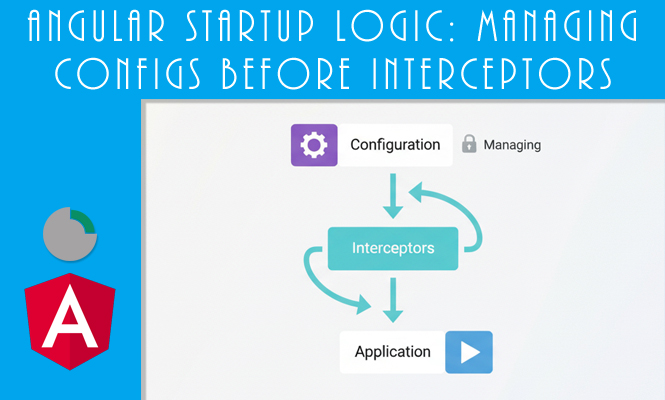
The Angular startup logic sequence in an Angular application is a critical phase, especially when the app relies on external configuration files or authentication tokens that must be present before any other service attempts an HTTP request. The APP_INITIALIZER token provides a hook to run code during the bootstrap process, delaying the application completion until certain asynchronous tasks are finished. However, a common technical hurdle arises when these initialization requests collide with HTTP_INTERCEPTORS, often leading to circular dependencies or interceptors attempting to use data that has not yet been loaded.
See “APP_INITIALIZER first of HTTP_INTERCEPTORS”.
Execution Order and Circular Dependencies for Angular startup Logic
By default, Angular provides APP_INITIALIZER to execute functions when the application starts. If your initializer uses a standard instance of HttpClient, it will automatically trigger any registered HTTP_INTERCEPTORS. This creates a paradox: if your interceptor is designed to attach a “Base URL” or an “Auth Token” from a configuration file that the APP_INITIALIZER is currently trying to fetch, the interceptor will fail because the data is missing. Furthermore, since the Interceptor depends on the Configuration Service, and the Configuration Service uses the Interceptor via HttpClient, the application will crash with a circular dependency error.
To solve this, the initialization service must bypass the interceptor chain entirely. This is achieved by using the HttpBackend class instead of the standard HttpClient. HttpBackend dispatches requests directly to the browser’s XHR backend, skipping the interceptor pipeline.
Practical Implementation with HttpBackend
When creating a service dedicated to app initialization, you should manually construct an instance of HttpClient using HttpBackend. This ensures that the configuration fetch is “silent” and invisible to your global interceptors.
Configuration Service Example
import { Injectable } from '@angular/core';
import { HttpBackend, HttpClient } from '@angular/common/http';
import { firstValueFrom } from 'rxjs';

@Injectable({ providedIn: 'root' })
export class ConfigService {
  private httpClient: HttpClient;
  private settings: any;

  constructor(handler: HttpBackend) {
    // Manually create HttpClient to bypass interceptors
    this.httpClient = new HttpClient(handler);
  }

  loadConfig(): Promise<void> {
    return firstValueFrom(
      this.httpClient.get('/assets/config.json')
    ).then(config => {
      this.settings = config;
    });
  }

  get config() {
    return this.settings;
  }
}
In the AppModule (or standalone bootstrap), you then link this service to the APP_INITIALIZER token. Setting multi: true is mandatory because there can be multiple initializers running in parallel.
Provider configuration
export function initializeApp(configService: ConfigService) {
  return () => configService.loadConfig();
}

@NgModule({
  providers: [
    ConfigService,
    {
      provide: APP_INITIALIZER,
      useFactory: initializeApp,
      deps: [ConfigService],
      multi: true
    }
  ]
})
export class AppModule { }
Strategic interceptor design for Angular startup logic
Once the application has bootstrapped and the APP_INITIALIZER has resolved, the rest of the application can safely use the standard HttpClient. Your interceptors can now reliably inject the ConfigService to retrieve the necessary settings, knowing for certain that the data is already in memory.
Interceptor Snippet
@Injectable()
export class AuthInterceptor implements HttpInterceptor {
  constructor(private configService: ConfigService) {}

  intercept(req: HttpRequest<any>, next: HttpHandler): Observable<HttpEvent<any>> {
    const apiBase = this.configService.config.apiEndpoint;
    const secureReq = req.clone({
      url: `${apiBase}${req.url}`
    });
    return next.handle(secureReq);
  }
}
Error handling and problem solving for Angular startup logic
Failure during the initialization phase is often silent or catastrophic, preventing the app from rendering anything.
Handling Configuration Failures
If the configuration file is missing (404) or the server is down (500), the APP_INITIALIZER promise will reject, and the Angular app will hang on a blank screen. It is vital to implement a .catch() block within your loadConfig method. You might choose to load a set of “default” local configurations if the network request fails, or redirect the user to a static error page.
The Multi-Provider Trap
A common mistake is forgetting the multi: true property on the APP_INITIALIZER provider. Without this, your custom initializer might overwrite others (like those used by third-party libraries), leading to unpredictable behavior during the bootstrap process. Always ensure that multi: true is present to allow Angular to treat the initializers as an array of tasks.
Dependency Ordering
If your interceptor is needed for the initialization (for example, if the config requires an OAuth2 token from a different server), you may need to split your initializers. However, in most architectural patterns, the configuration fetch should be as simple and dependency-free as possible. Keeping the bootstrap logic decoupled from the interceptor logic is the most effective way to avoid runtime errors and maintain a clean startup pipeline.
Summary of Angular startup logic and HTTP management
Managing the relationship between initialization and request interception ensures a stable application launch.
- APP_INITIALIZER Role: Executes essential asynchronous logic before the rest of the application starts.
- Interceptor Bypassing: Use
HttpBackendwithin initialization services to avoid circular dependencies and race conditions. - Service Decoupling: Keep initialization logic focused on fetching raw data, allowing Interceptors to consume that data later.
- Error Resilience: Always provide fallback values or error handling in initializers to prevent the application from hanging on a failed bootstrap.
- Provider Logic: Utilize
multi: trueto support multiple initialization hooks without conflict.
Two examples of implementation:
https://stackoverflow.com/questions/53066883/angular-http-interceptor-and-configuration-loaded-on-app-initialize
https://stackoverflow.com/questions/46469349/how-to-make-an-angular-module-to-ignore-http-interceptor-added-in-a-core-module/49013534#49013534
Try it at home!